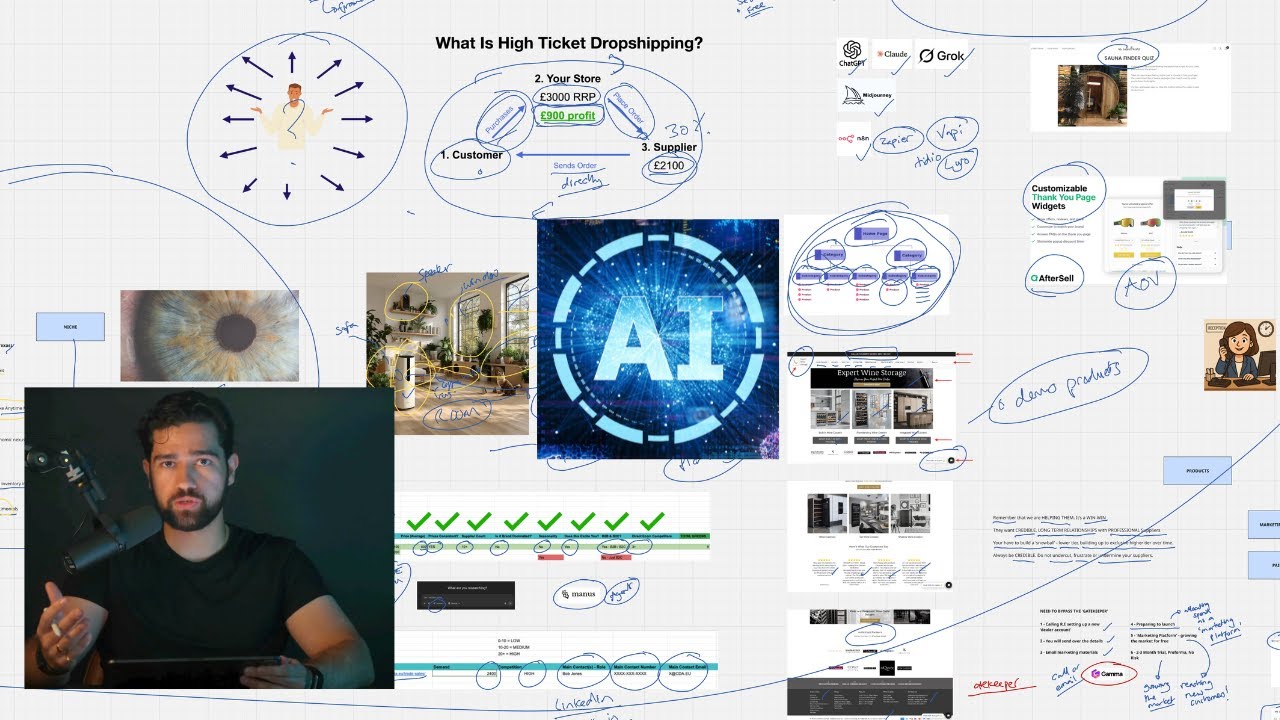
AI can build a dropshipping store in the narrow sense. Shopify's own AI tools will generate a theme, write product descriptions and draft pages from a prompt. AI cannot sign a supplier, confirm stock, set a margin or check its own copy for accuracy. On a high-ticket store, those are the parts that decide whether the shop can trade.
I have not run a head-to-head test of AI store builders, so this is no tool review. It sets out what Shopify documents its AI as doing, checked on 1 October 2026, and where we use AI in a store build inside Dropship Circle. Where I say "we", it is how we teach the build.
What can AI build in a dropshipping store today?
It can produce the storefront: the theme, the page copy, the product descriptions and the images around them.
Shopify groups its AI features under the name Shopify Magic. Its help centre describes them as free and available on every plan, though some features vary (Shopify Help Center, Shopify Magic, checked 1 October 2026). The list on that page covers most of a store build:
Text generation for product descriptions, pages, blog posts and headings in the theme editor.
Theme generation, which produces a theme for your business from the Themes page.
Media generation, which removes image backgrounds and creates logos and banners.
Sidekick, an assistant in the admin that can edit products, analyse data and create content from plain-language requests.
Shopify says Sidekick presents changes for your review before applying them (Shopify Help Center, Sidekick, checked 1 October 2026). That detail matters on a store where every product carries a four-figure price.
The cost is not the barrier. Shopify's Basic plan is listed at £25 a month paid monthly, or £19 a month paid yearly (Shopify UK pricing, checked 1 October 2026), and the AI features come with it. Other AI store builders exist outside Shopify. I have not tested them, so I am not going to describe them.
What does AI get wrong when it builds a store?
It writes confident product copy without knowing whether the details are true.
Shopify says so itself. Its page on generated product descriptions carries a caution: you are responsible for the accuracy of everything you publish, and generated text can include product benefits you never listed and facts drawn from other content about similar products (Shopify Help Center, Automatically generating product descriptions, checked 1 October 2026).
Read that again with a £1,200 sauna in mind. If the generated description adds a feature the model does not have, the customer has bought something you described wrongly. In the UK you must offer a full refund when an item is not as described (GOV.UK, Accepting returns and giving refunds, checked 1 October 2026). On a £14 gadget that is an annoyance. On a pallet delivery it is a collection to arrange and a four-figure refund.
The same applies to advertising. Google's product data specification says a description must describe the product accurately, the main image must show the product accurately, and any image made with generative AI must carry metadata saying so (Merchant Center Help, Product data specification, checked 1 October 2026). Use the supplier's photographs for the product itself. Keep AI images for banners and ad creative.
Which parts of the build can AI do, and which need a person?
AI handles drafting and layout. A person handles anything that depends on a supplier or on being correct.
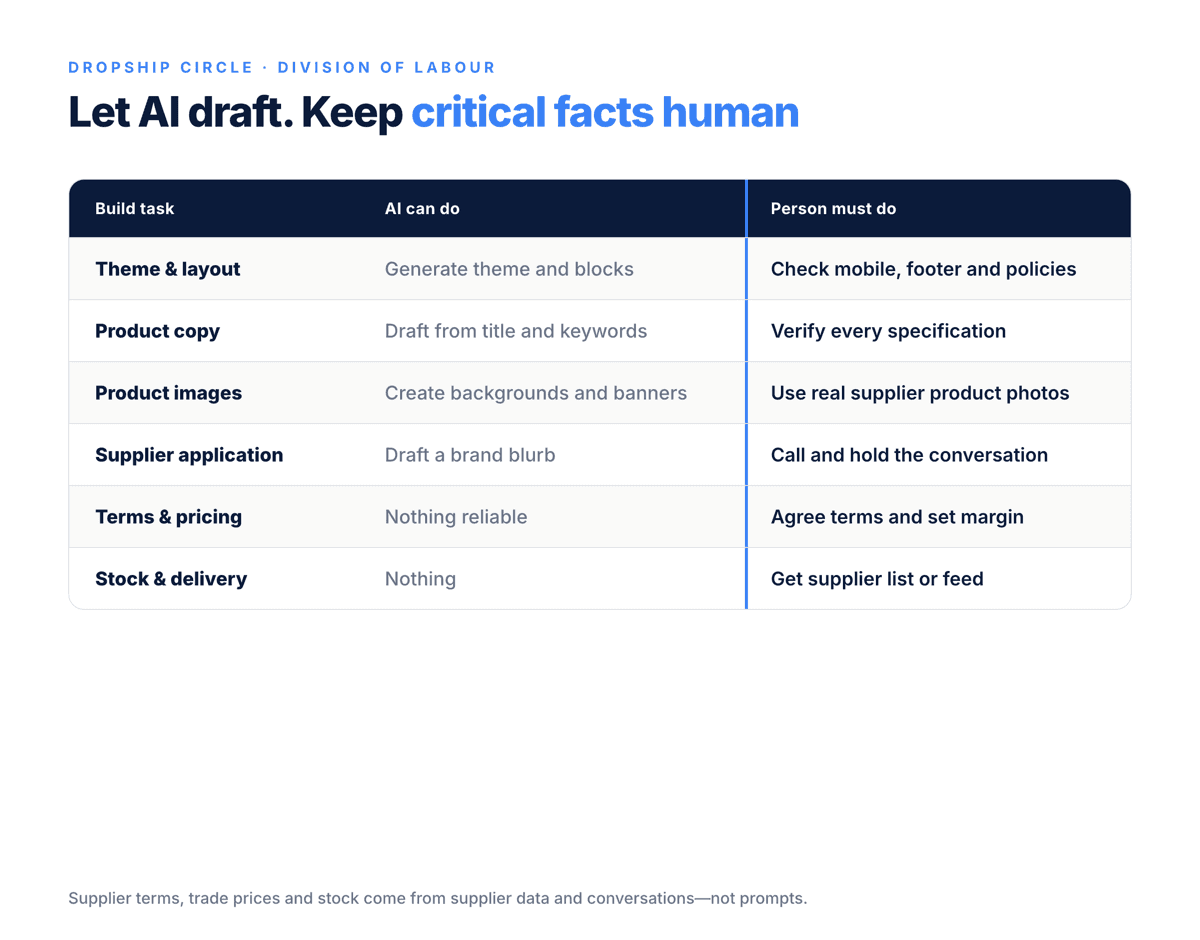
Build task | What AI can do | What a person still has to do |
|---|---|---|
Theme and layout | Generate a theme and blocks | Check mobile formatting, footer links and policies |
Product descriptions | Draft from a title and keywords | Check every specification against the supplier's data |
Product images | Backgrounds, banners, ad creative | Use real supplier photos for the product itself |
Blog posts | Draft the article | Correct every internal link by hand |
Supplier application | Draft a short blurb about the brand | Make the phone call and hold the conversation |
Trade account and terms | Nothing | Get approved, agree pricing, delivery and returns |
Prices and margin | Nothing reliable | Work from the supplier's trade price list |
Stock and delivery data | Nothing | Get a stock list or feed from the supplier |
Policies and business details | Draft the wording | Make sure every line is true for your business |
The bottom half of that table is the business. A supplier's trade price, stock position and returns terms exist in a price list and a conversation. No prompt can produce them.
How do we use AI when building a high-ticket store?
We use it to speed up the writing, and we keep every supplier-facing and customer-facing fact under human control.
The demo store. In our method the first Shopify store is built before any supplier has said yes. Its job is to show suppliers what the business will look like, so they feel comfortable opening an account. We ask for at least 15 demonstration products across a range of categories, because an empty site is not credible. AI is useful here, because it speeds up the writing of those 15 pages.
One warning from our own Q&A. Keep the demo store password-protected until a supplier approves you. It is for showing suppliers, not for taking orders.
The supplier application. When an application form asks why you want to stock a brand, we suggest using AI to draft a short blurb on what makes that supplier's products special and high quality, then tying it to how you will grow their sales. The first contact itself should be by phone. AI does not make that call.
Blog content. AI-written blog posts are fine as drafts. The step people skip is the links. Check every internal link so the anchor text matches the real collection or article. If the post links to "wine fridges" and your collection is called "wine coolers", change the wording and insert the correct URL.
Ad creative. For Performance Max campaigns, Google's suggested images are usually basic. We tell store owners to add their own, and an AI image generator or Canva is one way to do it, alongside Merchant Center images and supplier photos.
Before a supplier sees it. However the store was built, we run the same sweep before showing it to a supplier: business details, shipping profile, connected domain, policies, mobile formatting, footer links, and no placeholder social links. Look for leftover placeholders in a generated theme in particular. If a supplier looked at the site, they should be happy with it.
Why does this matter more on a high-ticket store?
Because there are fewer products and each one carries more money, so accuracy is worth more than speed.
The appeal of an AI builder is a page for every item in a catalogue, fast. A high-ticket store does not need that. What we recommend is 20 to 50 product pages chosen for demand and margin, built by hand or from a structured spreadsheet, with price and stock verified before any update is automated. Each page needs accurate specifications, delivery expectations and warranty details. A supplier feed title and a generated paragraph do not cover that.
Large catalogues are the one place we relax. If a supplier sends 2,000 products with inflated recommended prices, do not hold the launch to audit every one. Launch them together and price-match individual items as you go.
For the wider picture of where AI fits across a store, including suppliers and marketing, see high ticket dropshipping with AI.
What can AI run once the store is built?
Routine operations, once a person has set the suppliers, prices and rules. Choosing a supplier and setting a price are not routine, and they stay with you.
Whatever tool does it, changes to a store that sells £1,000 items should be seen by a person before they go live.
What should you check before an AI-built store goes live?
Check everything a customer, a supplier or Google will rely on.
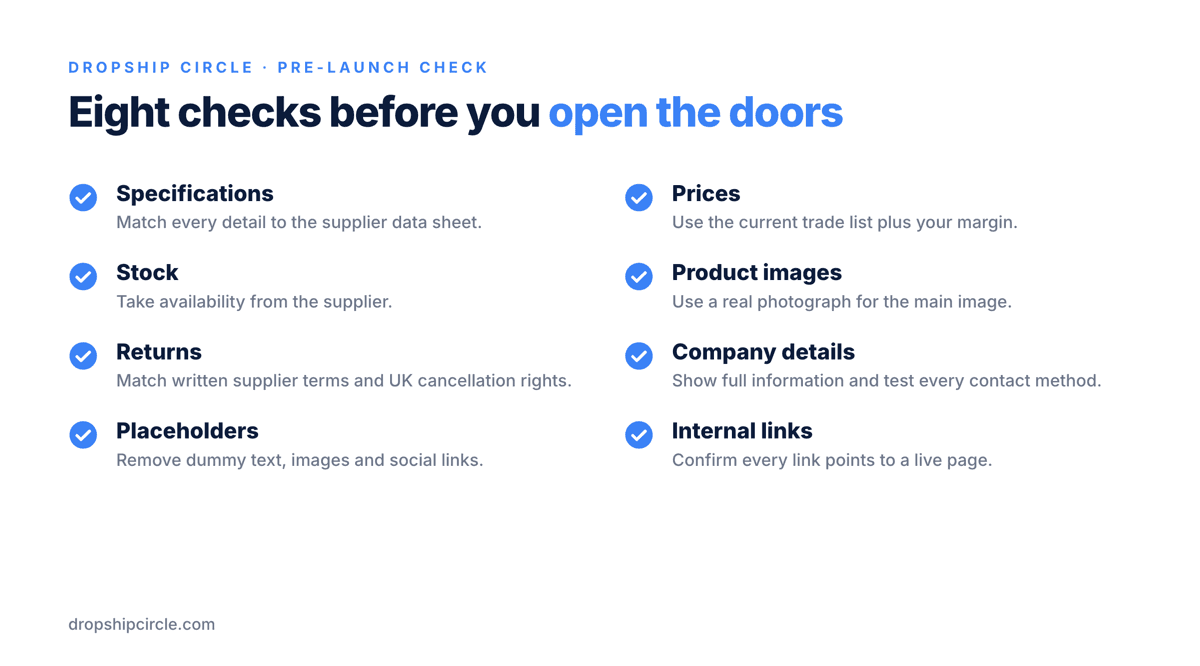
Every specification on every product page matches the supplier's own data sheet.
Every price matches the current trade price list plus your margin.
Stock status comes from the supplier.
The main product image is a real photograph of the product.
The returns policy is true. UK online customers can cancel within 14 days of delivery, and the policy has to match what your supplier will take back. Get the supplier's returns terms in writing.
The footer shows full company information, and the contact details work.
No placeholder text, placeholder images or dead links remain.
Internal links point to pages that exist.
If you are starting from nothing, budget £1,000 or more to get started. The AI tools are the cheap part of that. Supplier approval and the first advertising test are where the time and money go, and high-ticket dropshipping depends on both.
If you want to see how the supplier outreach, the demo store and the checks around it fit together, Dropship Circle runs free training that walks through the build. It is worth an hour if you are deciding whether to do this properly.